
Everything you need to prove the work was done
Every feature on this page works today. Things we are still building are listed at the bottom and clearly marked.
The app, in the field
- Android app for phones with NFC — company or personal
- Sign on with a personal PIN on shared phones; a personal phone shows only its owner
- The next checkpoint named, with where it is and its photograph
- Works with no signal: every tap, answer and photo is kept and sent later
- Picks up changes from the office within seconds of being opened
The live board
- Compliance so far today, with the points behind the percentage
- Rounds walked, rounds still to come, exceptions to review
- Latest taps as they arrive, with who made them
- Every phone: when it was last heard from and its battery
- Yesterday, this week and this month, plus a 30-day chart — click any figure to see why
Rounds and timetables
- Rounds made of checkpoints, in a set order or any order
- Every so many minutes, or at set times — including overnight
- Weekday and weekend timetables on the same round; pause a timetable in one click
- Every round judged: on time, late, early, out of order or missed
- Rounds nobody walked are recorded as missed automatically each night
Checks at the checkpoint
- Yes/no, a number with its safe range, a choice from a list, or written notes
- Asked every visit, or daily, weekly, monthly, quarterly or yearly
- Photograph not offered, optional or required — per check
- A reason must be given to skip a check
- Overdue checks listed until they are done
Reports
- Daily, shift, exceptions, checkpoint frequency, checks and raw taps
- Any dates, any site; filter a report to one route
- Open a round: each checkpoint, its time and what was found, with photos
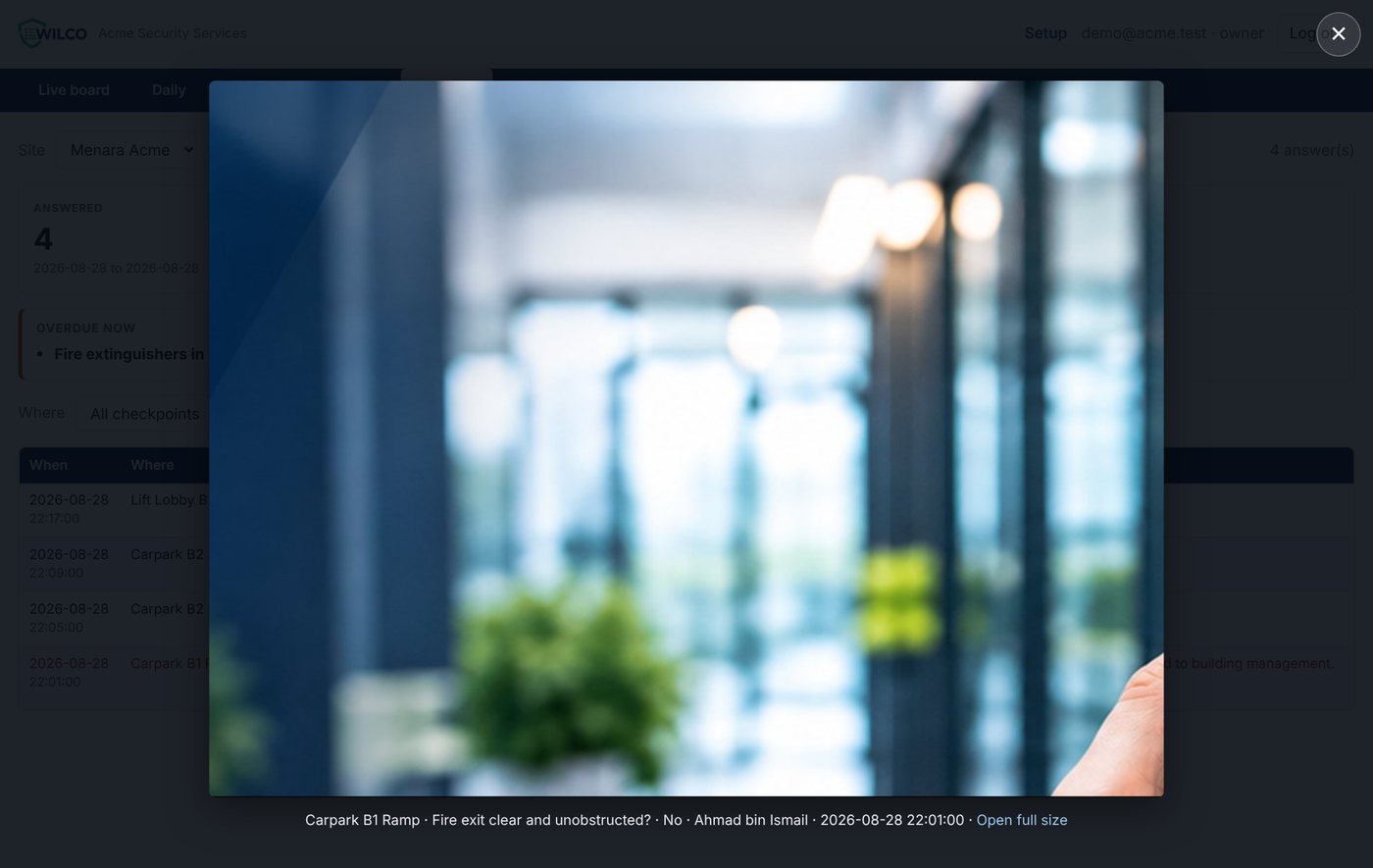
- Photos open full-screen on the page
- Download any report as a spreadsheet (CSV) to send to your client
Sites, people and phones
- Many sites in one account, grouped by client
- Choose who works where: all sites, all of one client’s sites, or chosen sites
- Set up sites, tags, rounds, checks and people in your browser
- Add a phone with a one-time code; cut off a lost one instantly
- Owners, supervisors and viewers see what their role allows
Overdue, bad and skipped — first
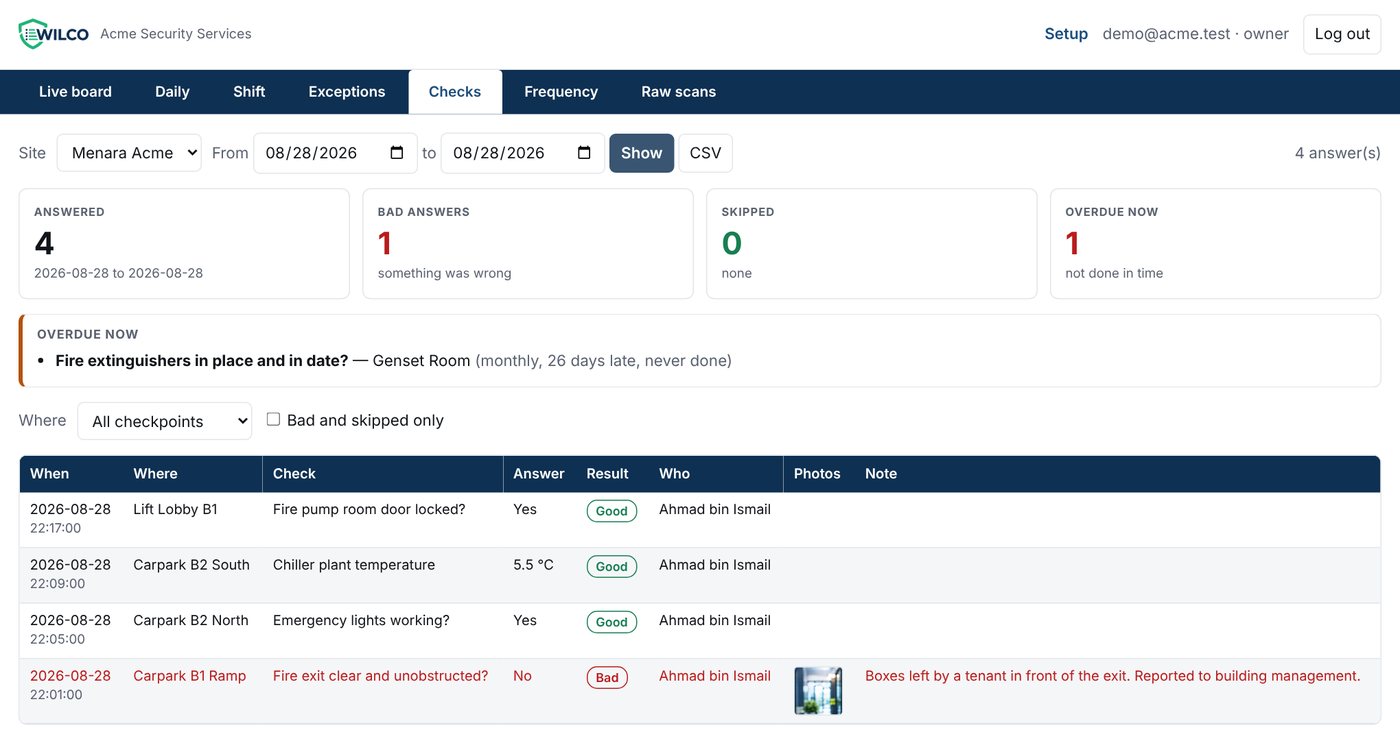
The Checks page puts what needs attention at the top: answers that were wrong, checks that were skipped and why, and monthly or yearly checks nobody has done. Then every answer, newest first, with its photographs.
Photographs that arrive with the answer
A photograph is taken in the app, shrunk on the phone so it travels on mobile data, checked on arrival so a corrupted copy is never stored, and shown with the checkpoint, the question, the answer, the person and the time.
Built so one customer can never see another
Separate by design
Every record is tied to its own company, and the system refuses any query that does not say which company it is for.
Secure connections
Phones and browsers talk to Wilco over HTTPS. Each phone has its own key, which you can cut off at any time.
A record that is not rewritten
Taps and answers are evidence: they are stored as they arrived. A memo or review is added alongside, never over the top.
What we are building next
Not available yet — listed so you know where Wilco is going. Ask us for dates.
Incident reporting Coming
Report a hazard or incident from the phone, with photos, and track it in the office.
Monthly report & certificate Coming
A printed performance report and compliance certificate to hand to the building owner.
Instant alerts Coming
A message to the supervisor when a round is missed or a check goes wrong.
Client logins Coming
Let a building owner sign in and see only their own buildings.
Scan to set up a phone Coming
Point the phone at the office screen to set it up, instead of typing a code.
Video evidence Later
Short video clips attached to an incident.
See Wilco working on a building like yours.
We will walk a round with a phone, show you the live board and open the reports — in about twenty minutes.